
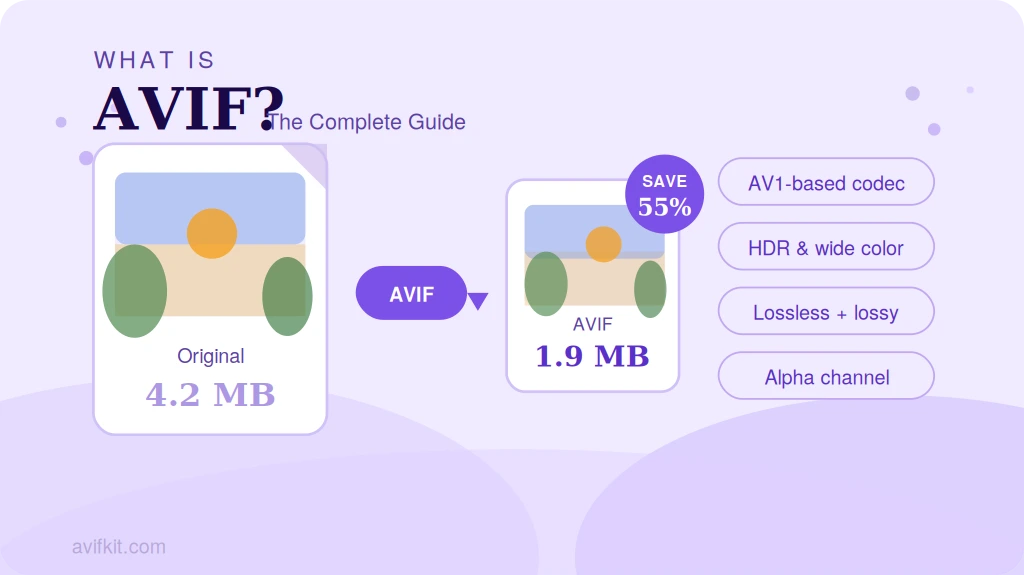
AVIF (AV1 Image File Format) is a modern image format that delivers dramatically smaller file sizes than JPG and PNG without sacrificing visual quality. Developed by the Alliance for Open Media, it's quickly becoming the go-to format for web performance.
What Does AVIF Stand For?
AVIF stands for AV1 Image File Format. It uses the compression technology behind the AV1 video codec to encode still images. AV1 was developed by the Alliance for Open Media — a consortium that includes Google, Apple, Microsoft, Mozilla, Netflix, and Amazon — and the format first shipped in February 2019.
The core idea is straightforward: repurpose video compression for still images. Video codecs are exceptionally good at stripping redundant visual data, and AVIF applies that same logic to get compression ratios that JPG and even WebP can't match.
How Does AVIF Compression Work?
AVIF uses AV1's intra-frame encoding — each image is treated as a single video frame. Under the hood, four things happen in sequence:
- Block partitioning: The image is split into variable-size blocks (4×4 to 128×128 px), so the encoder can allocate more detail where it's needed.
- Prediction: The encoder predicts pixel values from neighboring blocks, then only stores the difference between prediction and reality.
- Transform and quantization: That residual data is converted to the frequency domain and quantized — this is where lossy compression actually happens.
- Entropy coding: Arithmetic coding squeezes the quantized data as tightly as possible.
The result: AVIF files are 30–50% smaller than JPG and 20–30% smaller than WebP at equivalent quality. For web use, that means faster page loads and lower bandwidth — without visible degradation.
What AVIF Supports
Compression aside, AVIF covers a lot of ground that older formats don't:
- Lossy and lossless compression: pick maximum compression or perfect fidelity.
- Alpha channel transparency: full support, unlike JPG.
- HDR: 10-bit and 12-bit color depth, with PQ and HLG transfer functions.
- Wide color gamut: Display P3 and Rec. 2020 alongside standard sRGB.
- Animation: multi-frame sequences, like animated WebP or GIF.
- Film grain synthesis: stores grain separately from image data, which encodes noisy photos much more efficiently.
Pros and Cons
What AVIF gets right
- Best-in-class compression: 30–50% lighter than JPG, 20–30% lighter than WebP.
- HDR and wide gamut for professional photography and modern displays.
- Royalty-free — no licensing overhead, unlike HEIF/HEIC.
- Full transparency support.
Where AVIF falls short
- Slow encoding: noticeably slower than JPG or WebP, especially at high quality.
- Software gaps: many image editors, CMS platforms, and design tools still don't support it.
- Tile size limit: the AV1 spec caps individual tiles at 8192×4352 px (tiling can work around this, but it adds complexity).
- Compatibility: older browsers and devices need fallback images.
Browser Support
As of 2026, every major browser supports AVIF: Chrome 85+ (August 2020), Firefox 93+ (October 2021), Edge 121+ (January 2024), Safari 16.4+ (March 2023), and Opera 71+. That adds up to roughly 95% of global browser usage. For the remaining 5%, the HTML 'picture' element makes fallbacks trivial.
When to Use AVIF
If you're building for the web and file size matters, AVIF should be your first choice for photographic content. For logos and graphics with sharp geometric edges, SVG or PNG is still the better call.
Outside the browser — email attachments, documents, print — convert to JPG or PNG before sharing. AVIF support in native apps and desktop software is still patchy.
Quick tip:
Need to convert an AVIF file to something more universally compatible? Our free online converter handles it entirely in your browser — your files never leave your device.
Need to Convert AVIF Files?
Convert AVIF to JPG, PNG, or WebP instantly in your browser. Free, private, no registration required.
Convert AVIF Now